Separate office view
Open an office from the agency in its own tab, with its own navigation and records.
 Guided product demo
A walkthrough for Century 21 Premier
Enter a property, add photos, choose a template, and get a flyer ready to print or share. Then bring the property online with a mobile-friendly page.
Recorded screens from an actual local application run, with real generated files. This page is a read-only demonstration, not a signed-in client account.
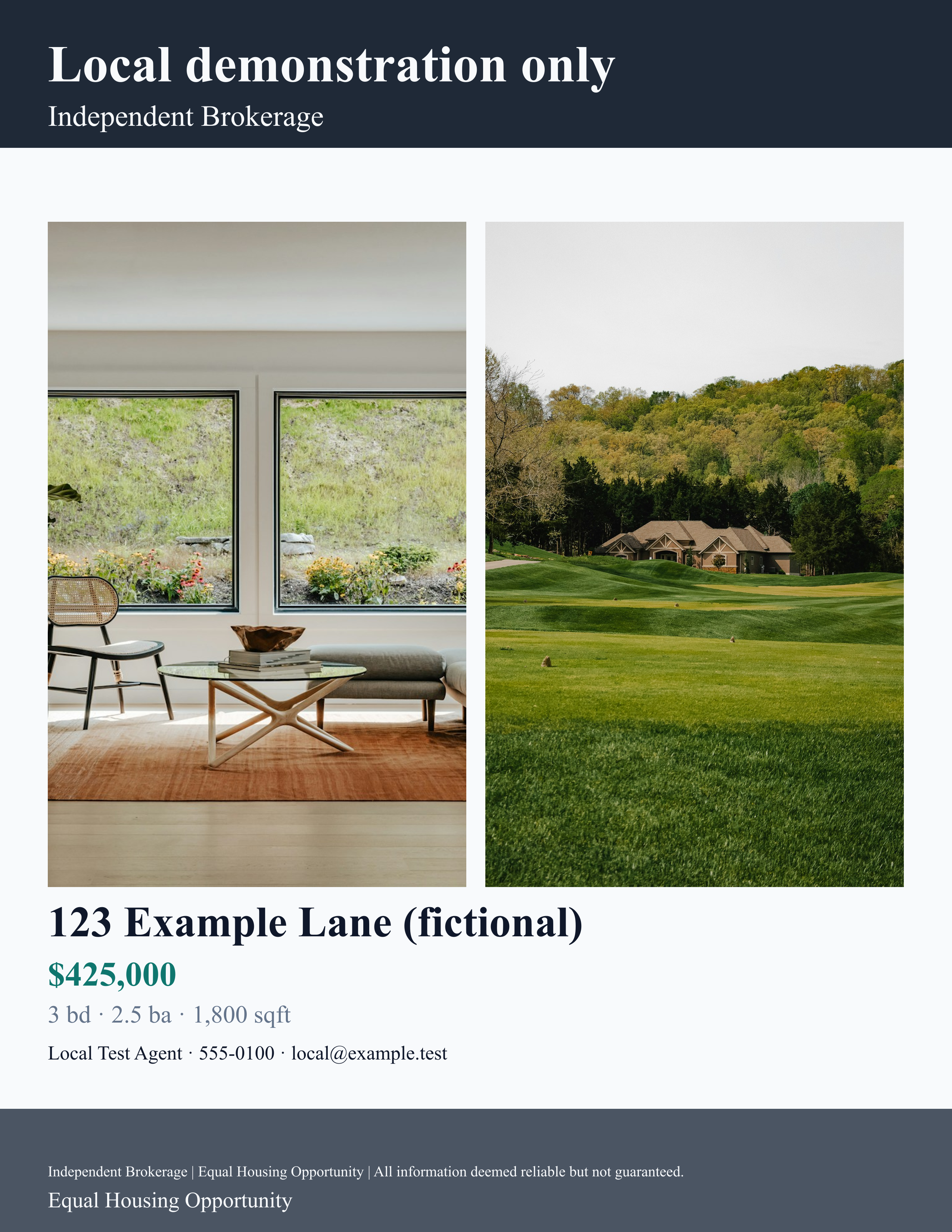 Actual output PDF + PNG
01 / Start with the property
Record the address, price, property facts, description and agent contact information. Save once, then return to edit the same listing.
Demonstrated: creation, formatted price input, saved records and price edits confirmed against the local database.
View the captured listings workspace ↗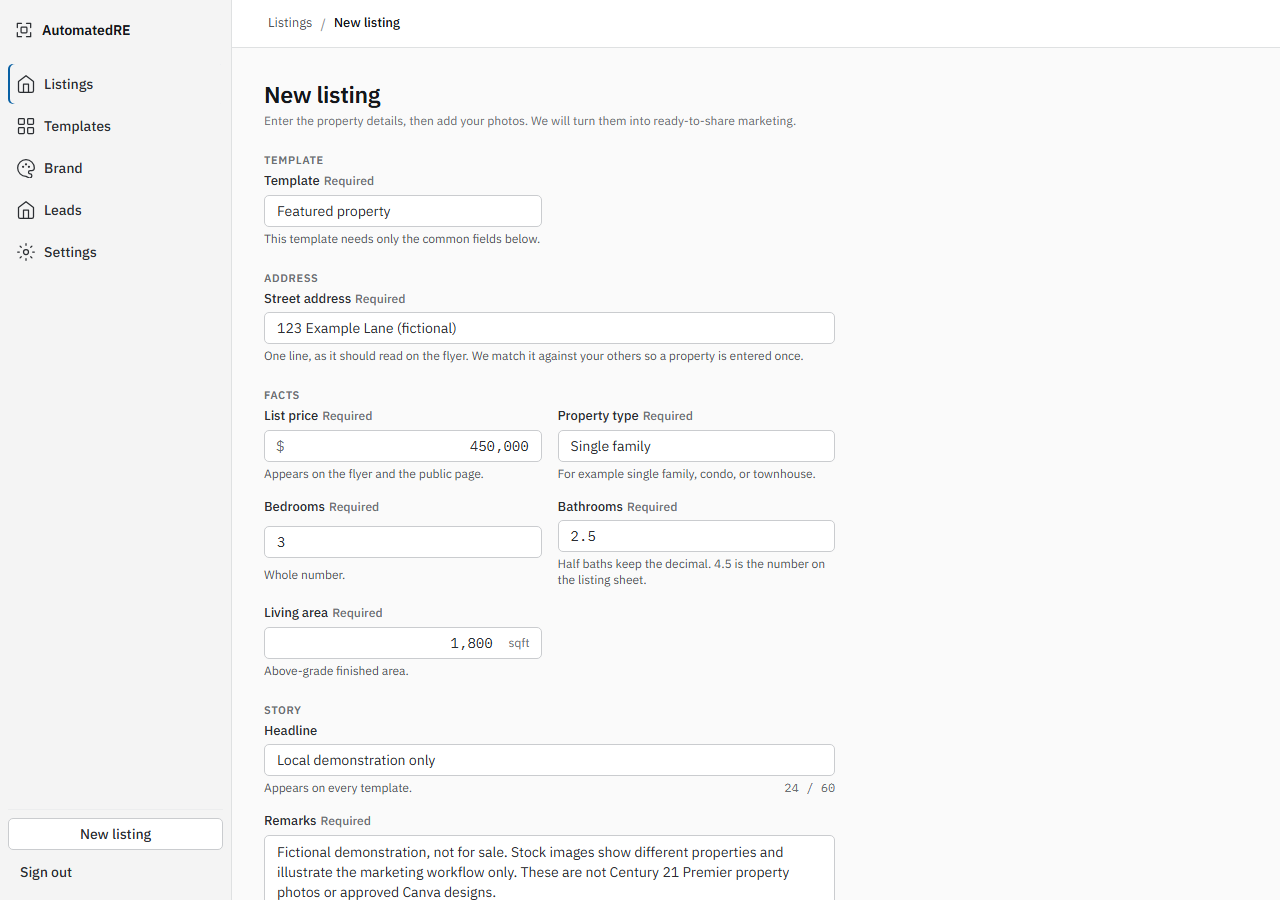
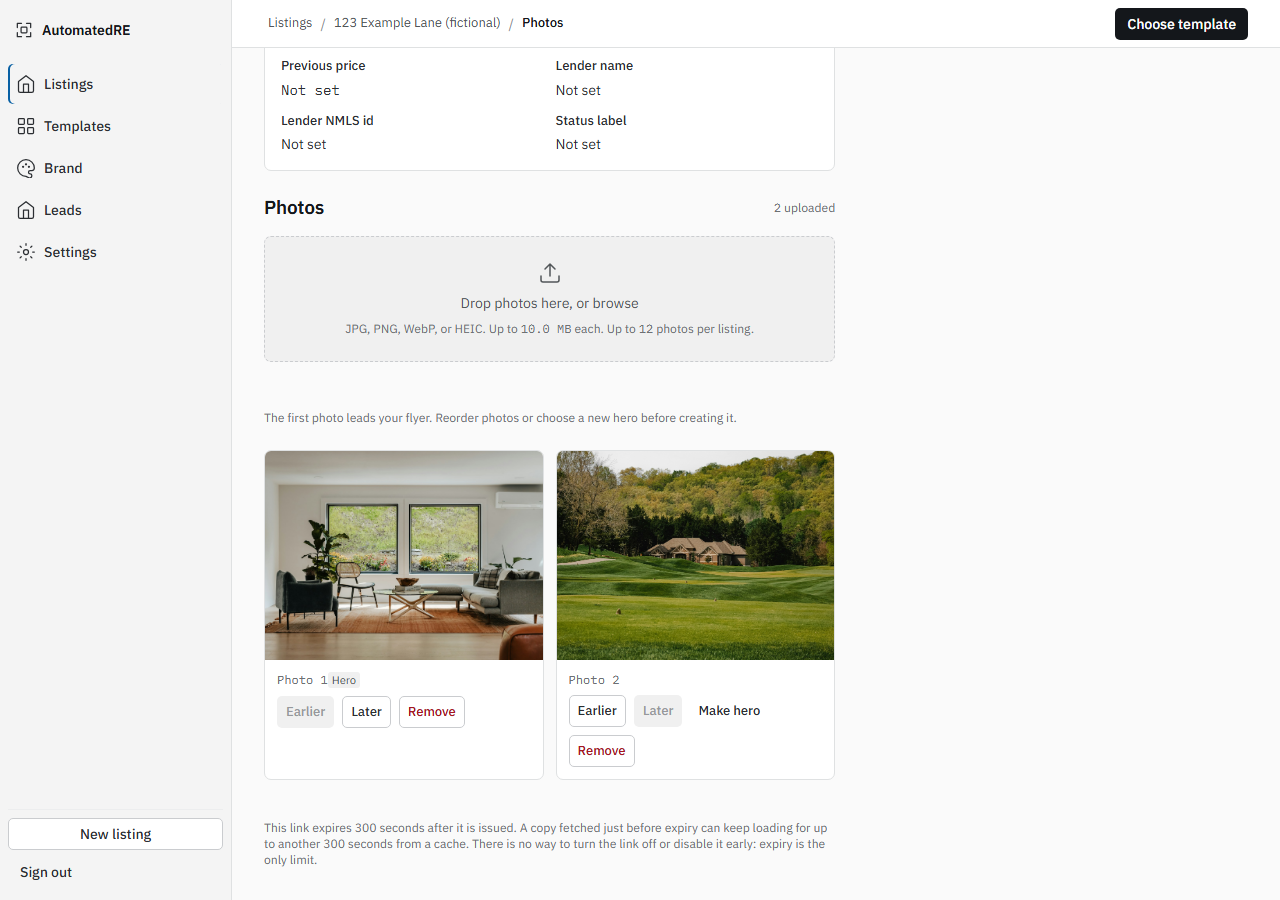
02 / Choose the presentation
View uploaded photos, change their order, and select the hero image that leads the flyer. Changes stay saved when the listing is reopened.
Demonstrated: direct Storage upload, readable previews, saved hero ordering and a page reload.
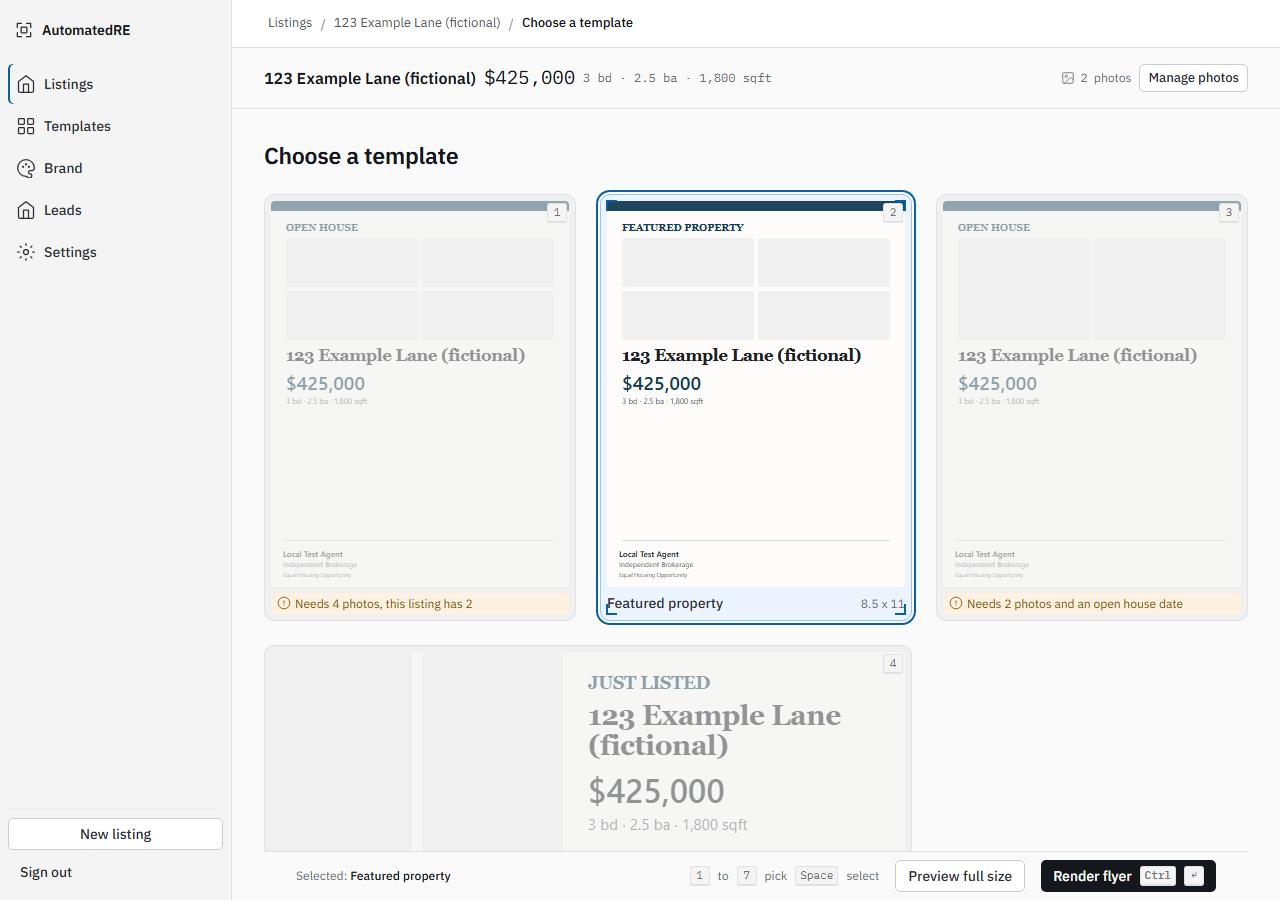
03 / Select a format
The template picker checks the listing's photos and required details. Open-house formats need dates and times; price-improvement output needs a previous price.
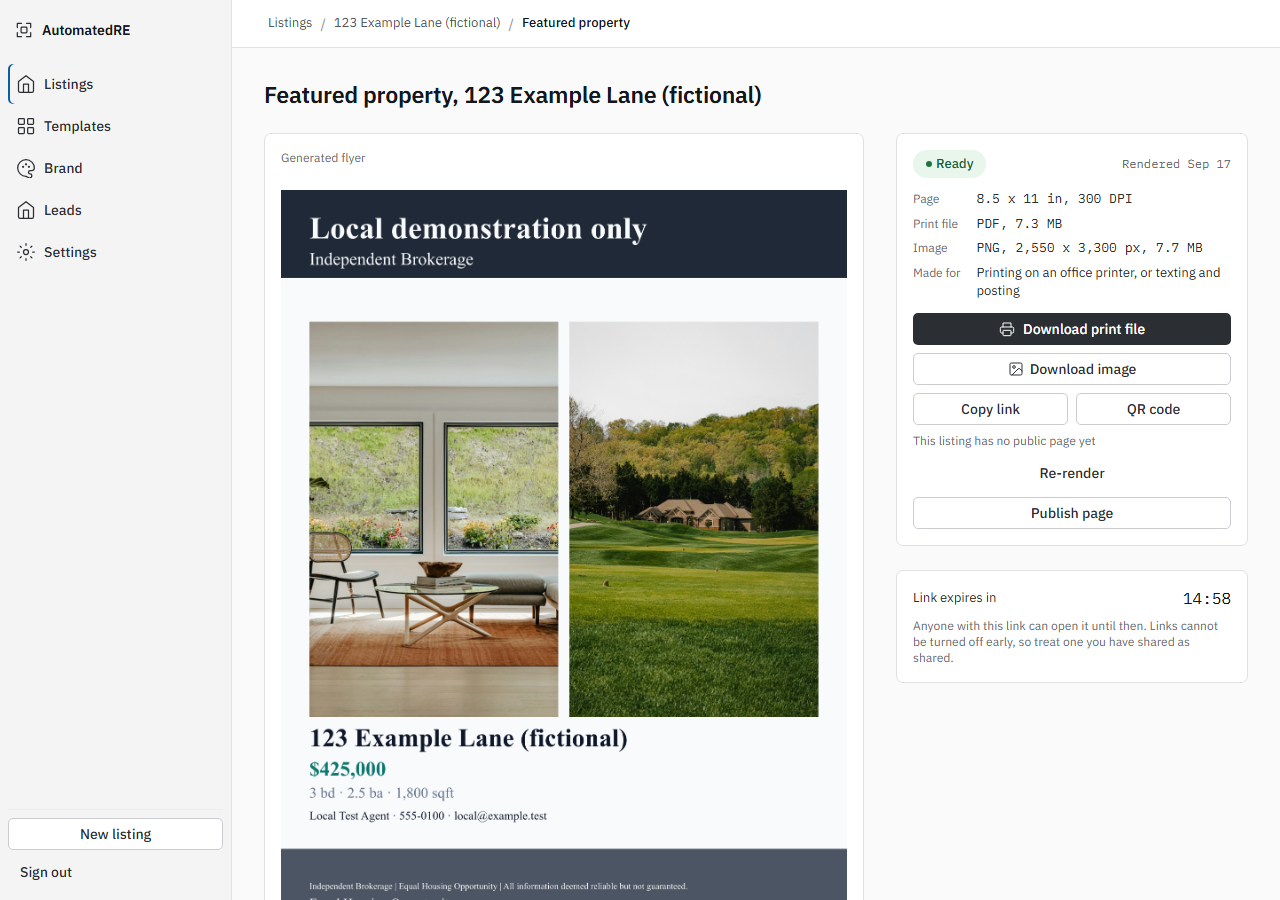
Demonstrated here: the Featured property template, rendered through the real application. Client design comparison remains a separate approval step.
04 / Get usable files
Review the actual generated flyer, then download the PDF or PNG without losing your place in the studio.
These are the actual fictional files from the verified local run, not a mock preview or an expiring production link. In an offline copy, your browser may open the adjacent sample file in a new tab instead of downloading it.
05 / Take the listing online
The same saved listing supplies a mobile-friendly property page with images, facts and a contact form. The local walkthrough also captured a test inquiry with consent and the correct account attribution.
This is a recorded page, not a live property advertisement. No inquiry is collected on this demo page. Live CRM delivery and production account onboarding are not being represented as verified.
View the captured local lead inbox ↗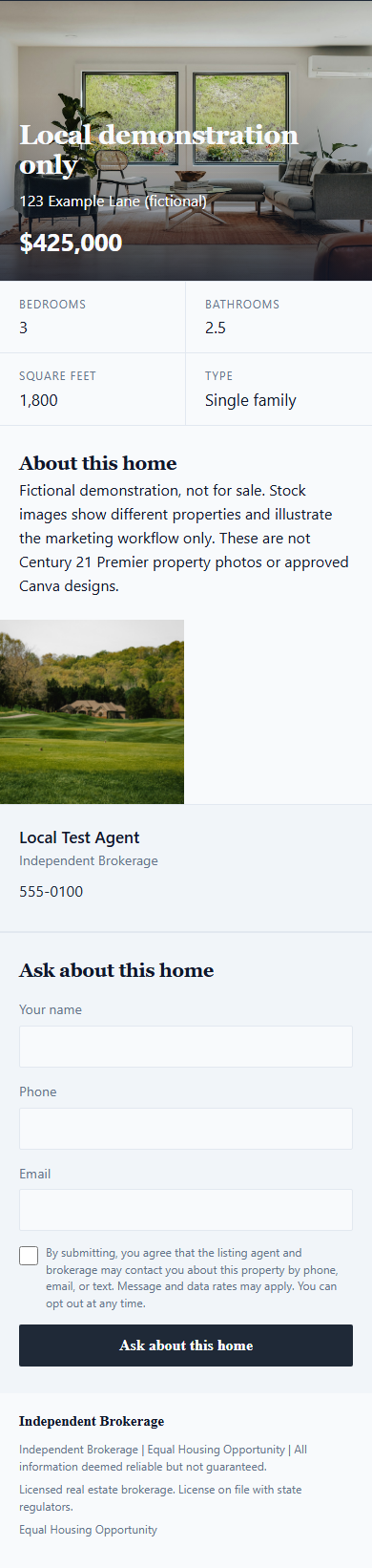
Office marketing studio
The office application is separate from the agency console. Save the company branding and agent profiles once, then reuse them across property announcements and client-review graphics.
Open an office from the agency in its own tab, with its own navigation and records.
Reusable names, headshots, phone numbers, email addresses and taglines. Personal logos fall back to the office logo.
One office palette, company identity and approved footer across new marketing.
Property announcements, open houses, celebration postcards and standalone testimonials with saved PNG/PDF exports.
This page remains a recorded, read-only walkthrough. Domain activation, billing arrangements, CRM delivery and final client design approval require their own verified setup.
Who will administer the office? Should agents publish directly or send work for approval? Which final templates and property assets should be used for the first live account?
Return to the beginning ↑